YOUR TRIP STARTS IN YOUR CAMERA ROLL
Journey Poster
Turn photos into routes.
Keep the journey in a poster.
Version 1.2 is coming soon. The new formats, photo wall/timeline and Lifetime Unlock described below are for 1.2. The current 1.1 app retains its existing features and agreements.
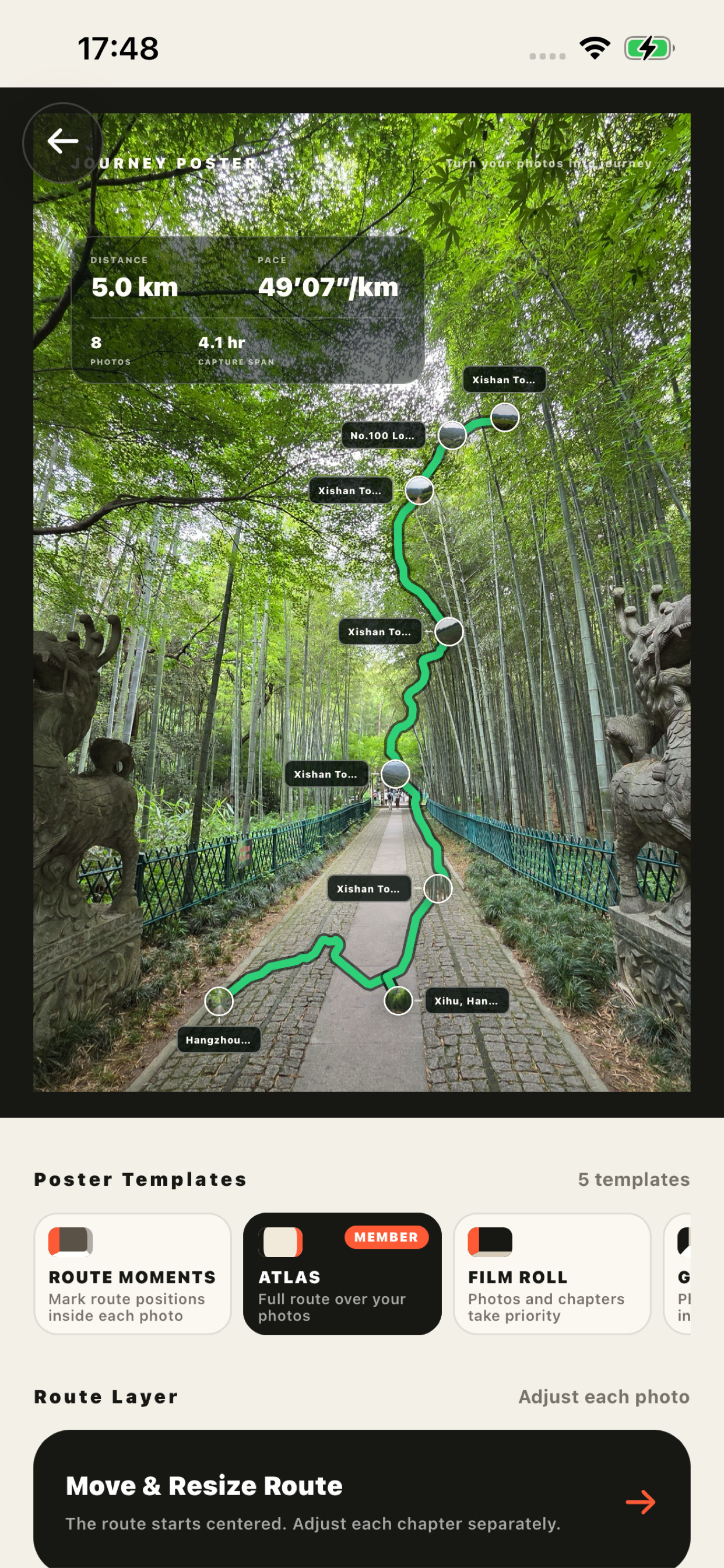
Coming in 1.2: Choose photos with a time and location. Turn them into a travel map, then save single images, a long image, or a Live Photo in supported templates.
Photo originals, photo GPS, and full routes are not uploaded to our business servers. Private iCloud sync is optional; Apple Maps processes necessary coordinates.
by Photo Atlas · Available for iPhone
WHAT IS JOURNEY POSTER?
Your photos. Your places.
One memorable journey.
Coming in 1.2: Journey Poster is an iPhone photo travel app. It connects selected photos by time and place to make travel maps, route posters, photo collages, and Live Photos in supported templates. Revisit your journeys in a photo wall or timeline.
- 01
Choose photos
Pick photos from your trip that still have their capture time and location.
- 02
Connect the places
Arrange photo locations in time order and revisit the journey on a map.
- 03
Save the journey
Coming in 1.2: Choose single images, a long image, or Live Photo where supported. Save to Photos, then share from there.
In 1.2 · One journey. Three ways to save it.
Coming in 1.2: Save an image set or cover, a long image of the whole story, or a silent Live Photo with motion. Output options vary by template. Live Photo preview uses no export credits.
A long adventure. Or a weekend close to home.
Road trip maps · Hiking photo routes · Family memories · City walks
BEFORE YOU START
A few things to know.
Can I make a route if I did not track my trip?
Yes, if your photos retain their capture time and location. No continuous tracking is needed beforehand. Routes between photo locations are planned or connected by map services. They are not a complete GPS track and should not be used for navigation or precise activity analysis.
What if my photos have no location?
Photo maps need capture locations. Screenshots and photos sent through some messaging apps may have lost this information. Use original photos that retain their time and location whenever possible.
Are my photos or photo locations uploaded?
Photo originals, photo GPS, full routes, and Live Photo motion/audio are not uploaded to our business servers. Private iCloud sync is optional; Apple Maps processes coordinates needed for maps and routes. Accounts and limited Journey summaries, including names you enter, still support the service. See the Privacy Policy.
In 1.2 · What is free, and what does Lifetime Unlock include?
Coming in 1.2: Edit and preview all templates, with up to 20 photos per Journey and no Journey-count or daily-creation limit. Eligible accounts receive three cumulative free exports, not a monthly reset. Lifetime Unlock is a one-time purchase for unlimited exports and removal of free-work branding while valid. Apple shows the actual price; historical purchases follow the Paid Services Agreement.
In 1.2 · How do I make a Live Photo? Does it include sound?
Coming in 1.2: Choose Live Photo in a supported template, preview for free, then export to Photos. Selected original Live Photo motion is composed on your device and may be trimmed to fit. Previews and newly composed works are silent; original audio is not mixed or included. Ordinary photos can form still segments. Original resources and Photos permissions are required; recipients may see only a still image.
In 1.2 · Can cloud history restore a complete Live Photo on another phone?
Coming in 1.2: The App currently syncs only a Live Photo still cover to cloud work history, not its paired video or audio. Keep the complete work in Photos and retain your originals. Apple’s iCloud Photos is a separate service controlled by your system settings.